
Vita Spider Solitaire
Vita Studio.Card
4.72.78K Reviews
- Version
- 1.30.0
- Installs
- 1.00M
- Age Rating
- Everyone
Screenshots
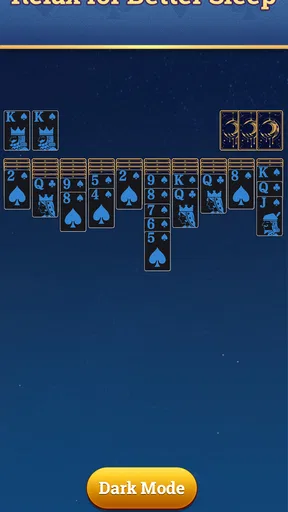
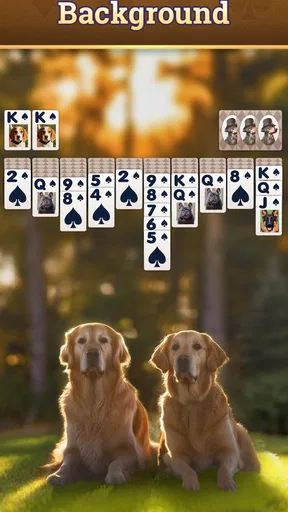
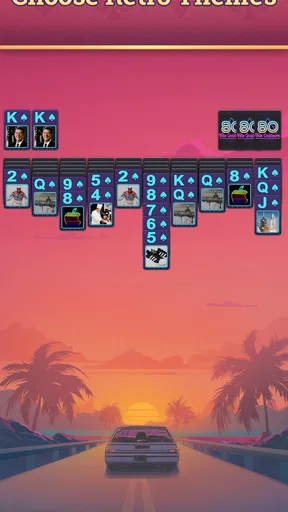

Our Review of Vita Spider Solitaire
 Analysis by Appyee
I spent time with Vita Spider Solitaire as a quiet, low-pressure card game rather than as a competitive challenge. That distinction matters. This is the kind of app I would open while waiting for an appointment, winding down in the evening, or taking a short break from a busier game. Its focus is familiar Spider Solitaire, presented for easy reading and relaxed play, with Vita Studio keeping the experience straightforward instead of surrounding it with a complicated collection of modes.
The first decision is simple: do you want a traditional solitaire session that is comfortable to follow, or do you want a broader card-game package with more variety, deeper progression, or stronger competition? Vita Spider Solitaire is most convincing when the answer is the first one. It is free to download, suitable for Everyone, and available for devices running Android 7.1 or later. That makes it approachable, but the real reason to choose it is the calm rhythm of arranging cards one move at a time.
What I looked for before recommending it
When I judge a solitaire game, I pay attention to more than whether the cards can be moved. The important questions are whether the layout is easy to understand, whether a short session feels worthwhile, whether mistakes are recoverable without frustration, and whether the presentation gets in the way of the actual puzzle. For a game aimed at relaxed play and older users, readability and touch comfort are especially important. A beautiful interface is not much help if a card is difficult to distinguish or a move feels fiddly.
I also consider how much commitment the game demands. Some card apps are designed around daily targets, leaderboards, timed rounds, or a constant stream of rewards. Those systems can be enjoyable, but they change the mood. Vita Spider Solitaire works better for someone who wants to sit down and play without first learning a large menu of activities. It feels like a focused tool for a familiar pastime, not a social platform disguised as a card game.
The public response suggests that this approach has connected with a substantial audience: the game has a 4.7 average from around 143 thousand ratings and has passed 1 million installs. I do not treat those figures as proof that everyone will enjoy it, but they do indicate that the simple format is not a niche experiment. The developer is Vita Studio, and the current release is version 1.30.0, so the app is established enough to be considered alongside more familiar solitaire choices.
How the game feels in ordinary use
A realistic use case is a ten-minute pause after lunch. I can open a deal, study the visible columns, and make a few careful moves without needing sound, a story, or a long tutorial. If I have more time, I can continue; if I am interrupted, the session still feels complete enough to have been worthwhile. That flexibility is one of its strongest qualities. It does not demand the kind of attention that a match-three game, strategy title, or online card battle usually requires.
The game also suits a slower evening routine. I can play while listening to a podcast or sitting with a cup of tea, because the decision-making is deliberate rather than frantic. That does not mean every deal is effortless. Spider Solitaire can punish careless sequencing, especially when a move opens a column but leaves fewer useful options elsewhere. The relaxed presentation reduces pressure, but it does not remove the need to think.
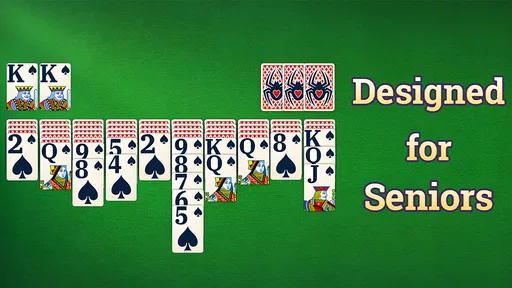
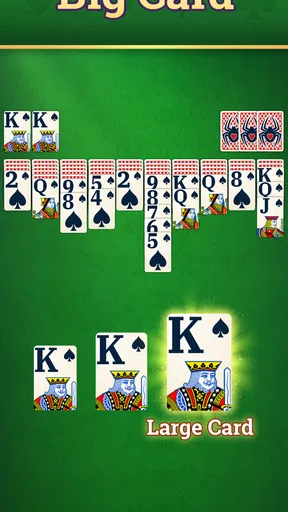
For older players, the large-card emphasis is more than a visual preference. It can make the difference between comfortably following a game and constantly leaning toward the screen. I found that the design direction keeps the board readable at a glance, which is useful when I am playing on a smaller phone or when my eyes are tired. The trade-off is that a spacious layout can show less information at once, so players who prefer dense, compact interfaces may initially find it less efficient.
Small habits that improve the experience
My first practical tip is to pause before moving an exposed card simply because the move is available. In Spider Solitaire, an apparently helpful move can consume a useful empty space or block a sequence that would have been more valuable later. I get better results by checking which column will become easier to work with, not just which card can move immediately.
A second useful habit is to treat empty columns as temporary working areas rather than as permanent storage. When I create one, I try to use it to rearrange a difficult stack and reveal hidden cards. Filling it too quickly can make the board look tidy while actually reducing flexibility. This is the kind of small strategic distinction that makes the game more satisfying for someone who thinks the basic rules are too simple.
I also recommend using short sessions to learn your own decision pattern. If I repeatedly lose after opening the same type of column, I can identify whether I am moving long sequences too early or ignoring cards that would expose more of the layout. The relaxed format makes this self-correction possible. There is no opponent waiting for a mistake, so I can focus on improving rather than reacting.
Where Vita Spider Solitaire wins
The clearest strength is focus. The app does not need to convince me that solitaire should be an adventure, a tournament, or a collection of unrelated mini-games. It centers the card table and lets the familiar rules carry the experience. That makes it a good fit for people who already understand Spider Solitaire and want a comfortable version, as well as for newcomers who would rather learn through a clean board than through a busy game hub.
Its accessibility angle is another meaningful advantage. The game is intended for seniors, and that purpose is reflected in the emphasis on big cards and relaxed play. I would recommend it to a family member who finds small card interfaces tiring or who dislikes games that rush every decision. The Everyone content rating also makes it an easy recommendation for a broad household audience, particularly when the goal is a calm pastime rather than intense entertainment.
The free entry point helps too. I can try the basic experience without paying first, which is important for a game whose appeal depends heavily on the feel of the board and the comfort of the presentation. In-app purchases are listed from $1.99 to $9.99 per item, so I would still check the purchase prompts carefully and decide whether any optional spending is worthwhile for my own habits. The free starting point lowers the risk of testing it, but it does not mean every player will want to spend nothing forever.
Another strength is its suitability for interrupted play. I often use card games in situations where I may need to put the phone down quickly. A focused solitaire board handles that better than a live multiplayer game, where leaving can affect another person, or a timed puzzle, where interruptions create pressure. This makes the app useful on public transport, in a waiting room, or during a short break at home.
There is also a subtle benefit in the lack of social obligation. Some players enjoy leaderboards and daily challenges, but others find them distracting. Here, the appeal is personal concentration. I can play a deal because I want a few quiet minutes, not because an event is expiring or because I need to protect a ranking. For anyone using games as a way to decompress, that difference is substantial.
What may frustrate experienced players
The same simplicity that makes the game approachable can limit its long-term appeal. If I want several distinct solitaire variants in one installation, this is not the most obvious choice. A broader card suite would give me more ways to play when Spider Solitaire starts to feel repetitive. Likewise, players who enjoy competition, multiplayer interaction, or elaborate progression should look elsewhere rather than expecting this focused format to become something it is not.
Experienced Spider Solitaire players may also want more control over the rules and challenge structure than a relaxation-oriented game typically emphasizes. I would not choose this app solely because I want a highly customizable training environment. Its value is in accessibility and ease of entry, not in turning every deal into a detailed analytical exercise.
There is a practical trade-off in the large-card presentation as well. Bigger cards are easier to read, but they can make the board feel less compact. On a small display, I may need to scroll my attention more carefully across the columns, and players accustomed to fitting a great deal of information into one view may prefer a denser design. That is not a defect for the intended audience; it is a reminder that visual comfort and information density are not always the same goal.
How it compares with other ways to play
Compared with a general solitaire collection, Vita Spider Solitaire is narrower but easier to approach. A collection is better when I want to move between Spider, Klondike, FreeCell, and other familiar formats without changing apps. The advantage of this game is that its identity is clearer. I open it knowing what kind of session I am getting, and that predictability is valuable when I want relaxation rather than browsing.
Compared with a competitive card game, it is much less demanding. There is no need to react to another player’s strategy or maintain a fast pace. That makes it better for quiet concentration and worse for anyone seeking surprise, social interaction, or the excitement of a close match. I would not recommend replacing an online card battler with this app if competition is the main reason you play games.
Compared with playing physical cards, the app removes setup and cleanup. I do not need a table, a full deck, or enough space to arrange the columns. That convenience is particularly useful when I am alone or away from home. The physical alternative still wins for people who enjoy handling cards, sharing a game with someone nearby, or taking a break from screens. Vita Spider Solitaire is a practical substitute for solo play, not a replacement for the tactile or social parts of a real deck.
Compared with a puzzle game built around levels and rewards, this one offers less variety but a steadier mental rhythm. I am not constantly learning a new objective or chasing a new visual effect. That can feel repetitive if I need novelty, yet it can also be exactly what I want when I am trying to settle down. The right choice depends on whether repetition feels comforting or limiting to me.
Who should consider switching to it
I would consider switching from a busy solitaire app if I found myself ignoring most of its menus and only wanting Spider Solitaire. Moving to a focused game can make the routine faster: open the app, start playing, and stop when I am done. It is also worth considering for an older relative who finds conventional card apps too small or visually crowded.
The cost of switching is mainly about losing breadth. If I currently rely on one app for several card variants, changing means giving up that convenience or keeping another app installed. I would also need to adjust if I enjoy detailed statistics, competitive systems, or elaborate customization. Before switching completely, I would use the free version during the times I normally play and ask whether the larger cards and calmer flow matter more to me than the extra features in my current app.
Device compatibility is straightforward for many users because the minimum requirement is Android 7.1. I would still check that an older phone has enough screen space for comfortable card reading, since operating-system compatibility alone does not guarantee the best visual experience. On a tablet, the spacious presentation may feel especially natural; on a compact phone, the same design may require a little more attention when scanning the full board.
My recommendation after using it
I recommend Vita Spider Solitaire to anyone who wants a free, familiar card game with an emphasis on readable cards and unhurried sessions. It is especially suitable for seniors, casual players, and people who use games as a short mental break. The high average rating and large installed audience support its appeal, but my recommendation is based more on the consistency of its purpose: it knows that a simple solitaire board can be enough.
I would skip it if I need multiplayer play, a large menu of card variants, deep progression, or a highly competitive reason to return every day. Those players will likely be happier with a broader collection or a more social card title. I would also hesitate if I dislike in-app purchase prompts in free games, even though the initial download costs nothing and the listed individual purchases range from $1.99 to $9.99.
For everyone else, I suggest trying it in a real situation rather than judging it from a quick launch. Play one short session when you want to relax, then notice whether the large-card layout makes the board easier to follow and whether the focused format feels refreshing or repetitive. If I wanted a dependable Spider Solitaire companion for quiet moments, I would keep this one installed. Its best feature is not complexity; it is making a familiar game comfortable enough to return to.
Verdict
Strengths of Vita Spider Solitaire
- Simple rules make it easy for beginners to start playing.
- Multiple difficulty levels provide a gradual challenge.
- Short rounds fit well into quick breaks or casual sessions.
- Offline play is useful when no internet connection is available.
- Familiar solitaire format offers relaxing, low-pressure entertainment.
Limitations of Vita Spider Solitaire
- Limited variety may make the gameplay feel repetitive over time.
- Ads can interrupt the experience, depending on the version.
- Random deals may occasionally feel unfair or unsatisfying.
- The interface may seem dated compared with newer card games.
- Few social features reduce interaction with friends or other players.
Other Releases by Vita Studio.
View All
Vita Mahjong
Board4.9

Vita Solitaire for Seniors
Card4.9
Similar Picks in This Category
View All
Solitaire - Classic Card Games
MobilityWare4.6

UNO!™
Mattel163 Limited4.3

Spider Solitaire: Card Games
MobilityWare4.6

Solitaire.com - Classic Cards
Tripledot Studios Limited4.7

Plants vs. Zombies™ Heroes
ELECTRONIC ARTS4.1

Hearthstone
Blizzard Entertainment, Inc.4.1
Frequently Asked Questions
What is Vita Spider Solitaire?
Vita Spider Solitaire is a mobile card game based on the classic Spider Solitaire puzzle. It lets you arrange cards in descending order and build complete suits from King to Ace while working through different layouts. The game is designed for casual play, with simple touch controls, clear card visuals, and sessions that can be enjoyed in short breaks or for longer periods.
Is Vita Spider Solitaire free to download and play?
Vita Spider Solitaire can generally be downloaded for free on supported Android and iOS devices. However, the free version may include advertising, optional purchases, or other limitations depending on the platform and current release. Before installing, check the store listing for the latest information about in-app purchases, subscription options, and whether certain features or content require payment.
Does Vita Spider Solitaire require an internet connection?
Many solitaire games can be played offline, and Vita Spider Solitaire is intended to support convenient casual gaming in different situations. Nevertheless, an internet connection may be needed for advertisements, updates, cloud-related features, analytics, or purchases. If you plan to play while traveling or without mobile data, open the game beforehand and verify which features remain available offline.
Is Vita Spider Solitaire suitable for beginners?
Yes, Vita Spider Solitaire is suitable for beginners because its basic objective is easy to understand and the touch-based controls are straightforward. New players can learn by moving cards between columns and gradually uncovering hidden cards. The challenge increases as layouts become more complicated, so the game can also remain interesting for experienced solitaire players who want more strategic decisions.
What devices are compatible with Vita Spider Solitaire?
Vita Spider Solitaire is available for mobile devices through the relevant Android or iOS app store, but exact compatibility depends on the developer’s current requirements. Older phones or tablets may not support the newest version, or they may provide a less smooth experience. Check the official store page for the required operating system, download size, permissions, and recent update details before installing.
Play our best games!


